Adding a Special or Featured Products
The way Special and Featured products are configured is very similar.
If you click the new product button on the Specials page (Catalog–> Specials) or Featured Products (Catalog–>Featured Products) you will arrive at this page.
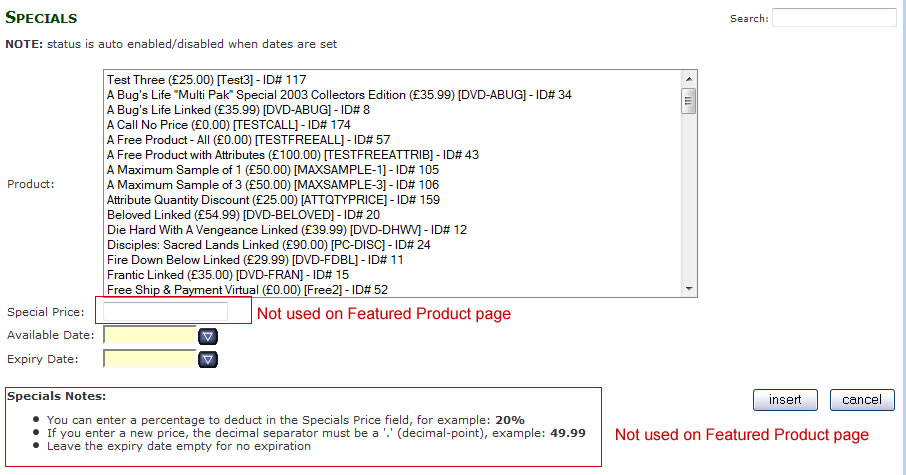
To add a new Special or Featured product select the product from the list of available products.
For Specials enter the “Special Price” this can be entered as a percentage discount
e.g. Enter 10% in the Special price field to reduce the product price by 10%
Or enter the Special price in pounds and pence
e.g. 49.99
Optional: You can specify an Available (start) date and Expiry Date for the product.
This allows you to set the date when a product becomes “Special” or “Featured” and also when the “Special” or “Featured” status is removed from the product.
This can be useful as you can set up different “Special” or “Featured” in advance and the site will change their status for you at the correct dates.
If you don’t set an Available and Expiry date the product will become “Special” or “Featured” immediately and expire only when delete it from the “Special” or “Featured” section.
Click the insert to add the product to the “Special” or “Featured” list.
or click cancel to return to the “Special” or “Featured” listing page.